Meal Watch · A 3Brains app

Did the food in your pantry just get recalled?

Recalls happen every day. Most people never hear about them — until something gets pulled off the shelf weeks after they ate it. Meal Watch monitors official FDA food recall data on your behalf, and tells you the moment a brand or product on your watchlist shows up.

Your pantry, watching your back.
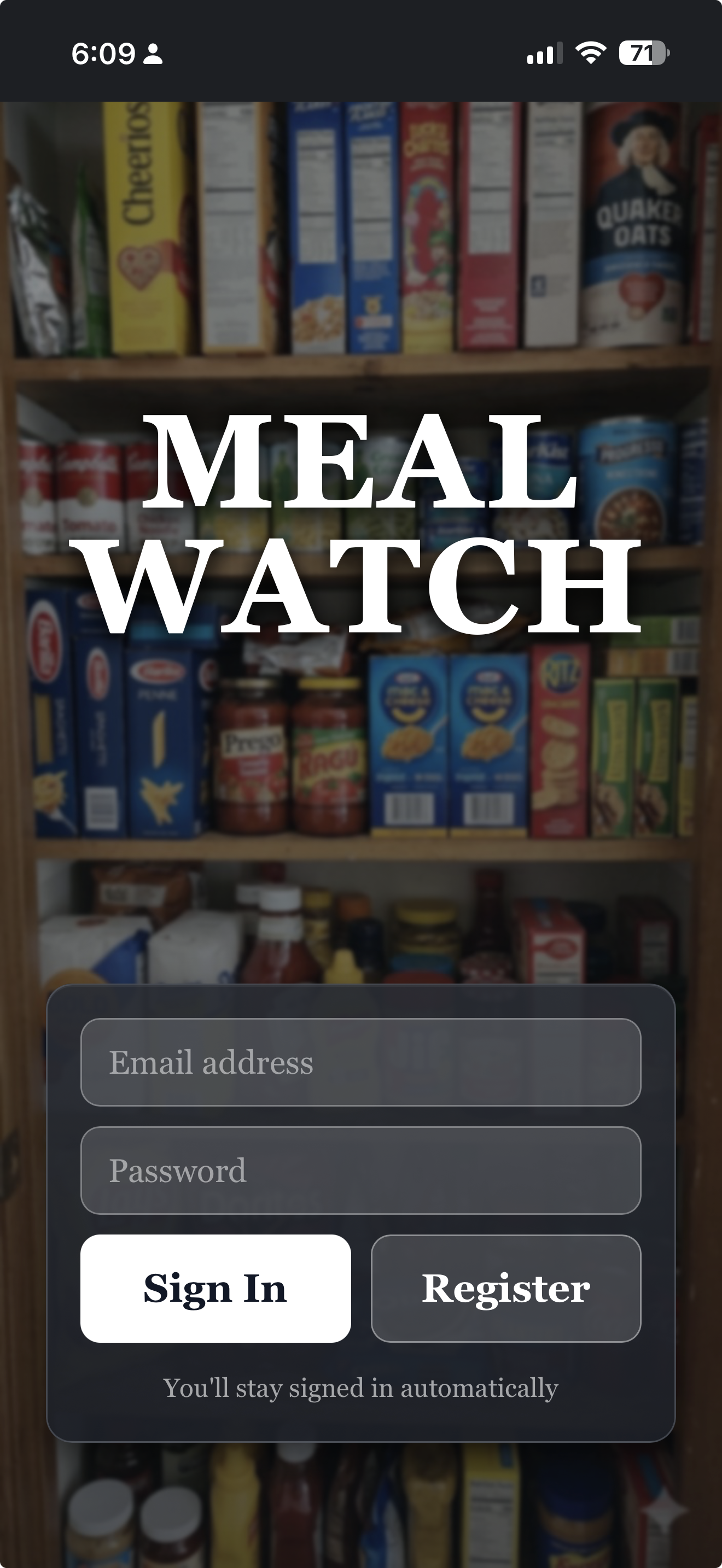
A home pantry full of brand-name food products
Any of these recalled this week? Meal Watch knows.

— 01

How it works.

i.

Search a brand or product.

Type what you actually buy — or browse Latest Recalls to see every Class I and II FDA recall, newest first.

ii.

Add it to your watchlist.

Watch a specific product, or watch a whole brand. Either way, Meal Watch keeps checking — every twelve hours, in the background.

iii.

We alert you.

If something on your watchlist gets recalled, you'll see an Alert. So you can throw it out before someone takes another bite.

— 02

A quick tour.

Meal Watch pulls live data from openFDA Food Enforcement — every food recall the FDA has issued, from the same federal source used by grocery chains and food-safety regulators. No ads. No paywalls. Just clear, timely answers.

```
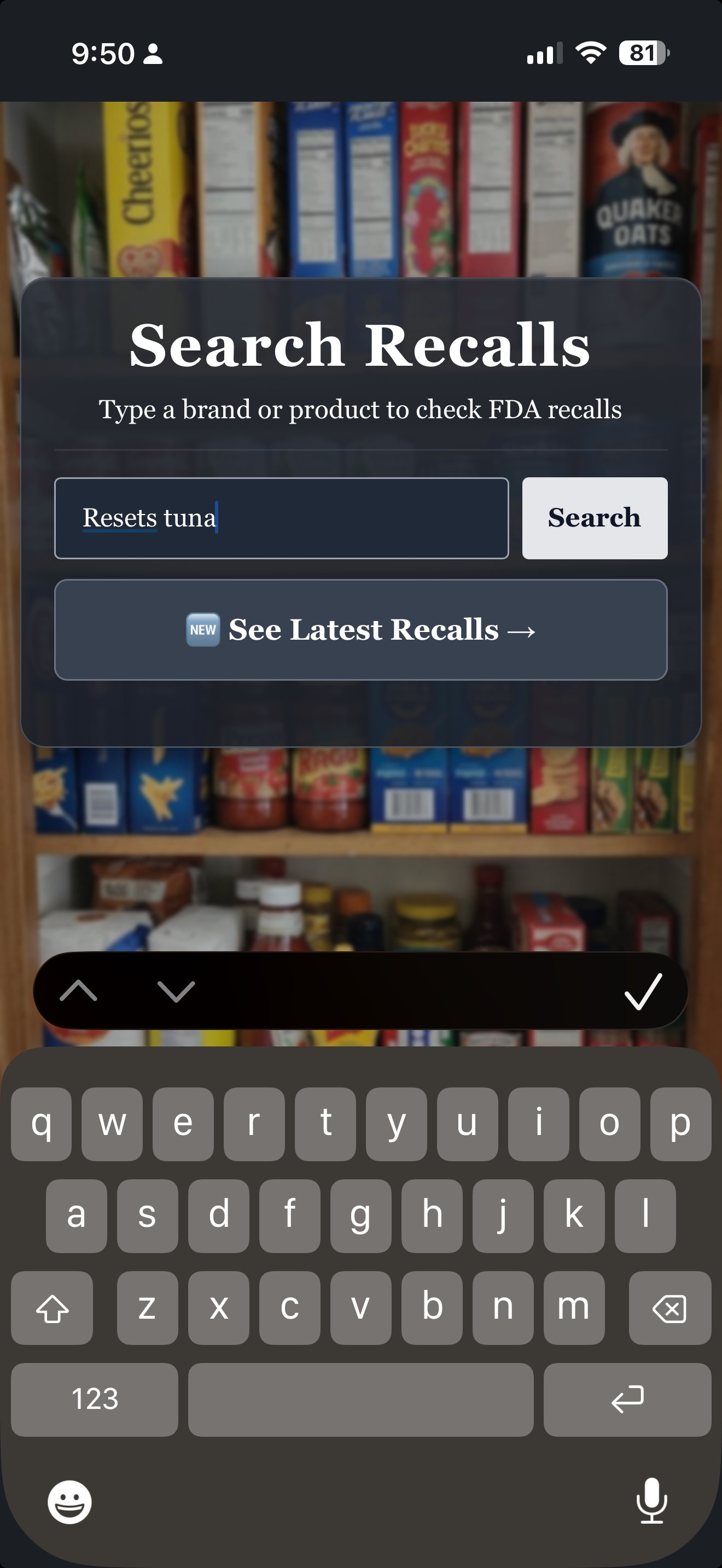
Meal Watch — Search Recalls
Search recalls

Type a brand or product.

Search by company, brand, or product name. Or tap See Latest Recalls to browse what's been pulled this week, this month, this year — without searching anything specific.

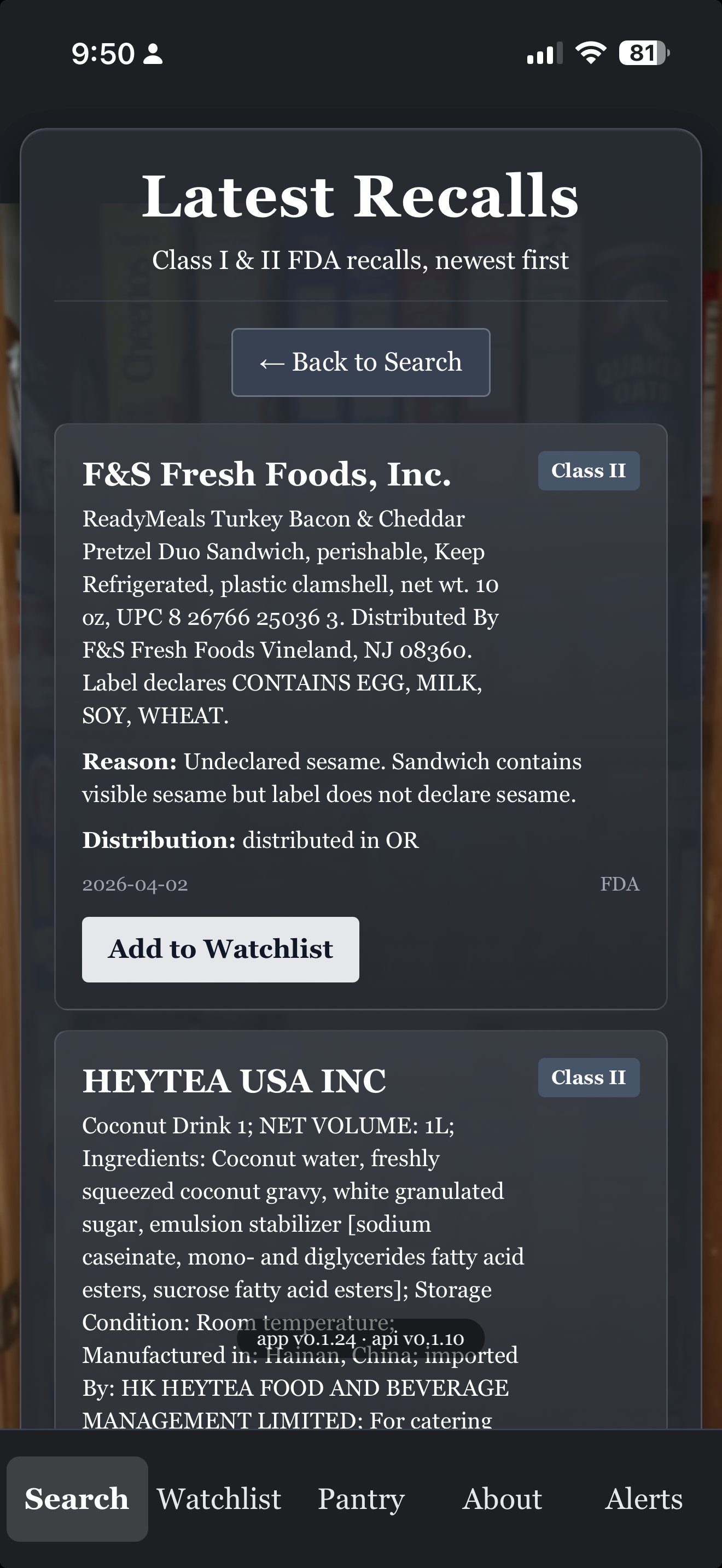
Meal Watch — Latest Recalls
Latest recalls

Class I & II FDA recalls, newest first.

Each recall card shows the company, the product, the class (severity), the reason, the distribution states, and the date. Tap Add to Watchlist to keep an eye on the brand going forward.

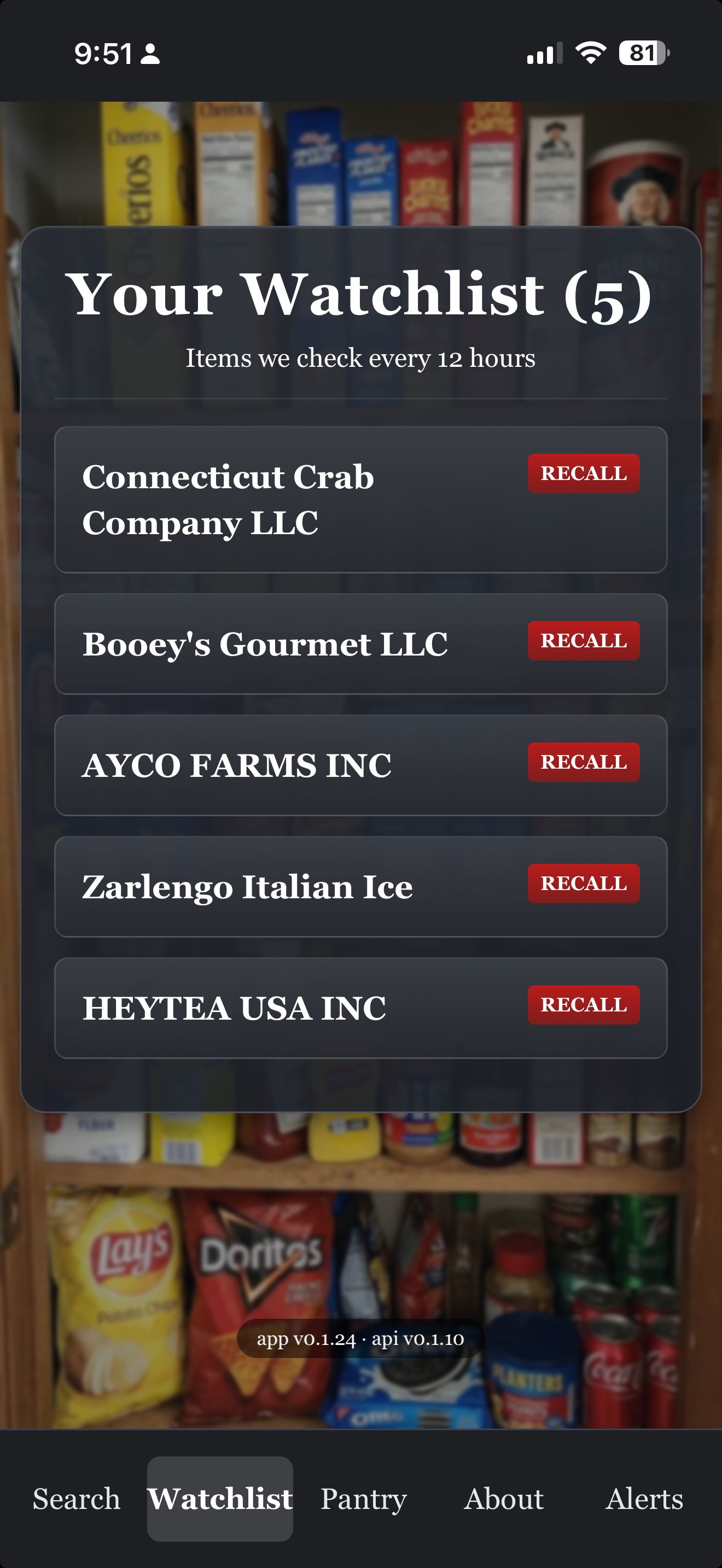
Meal Watch — Your Watchlist
Your watchlist

Items we check every twelve hours.

Brands and products you care about, all in one list. Each entry shows a RECALL badge the moment a match comes through the FDA feed — so you can see at a glance what's safe and what's not.

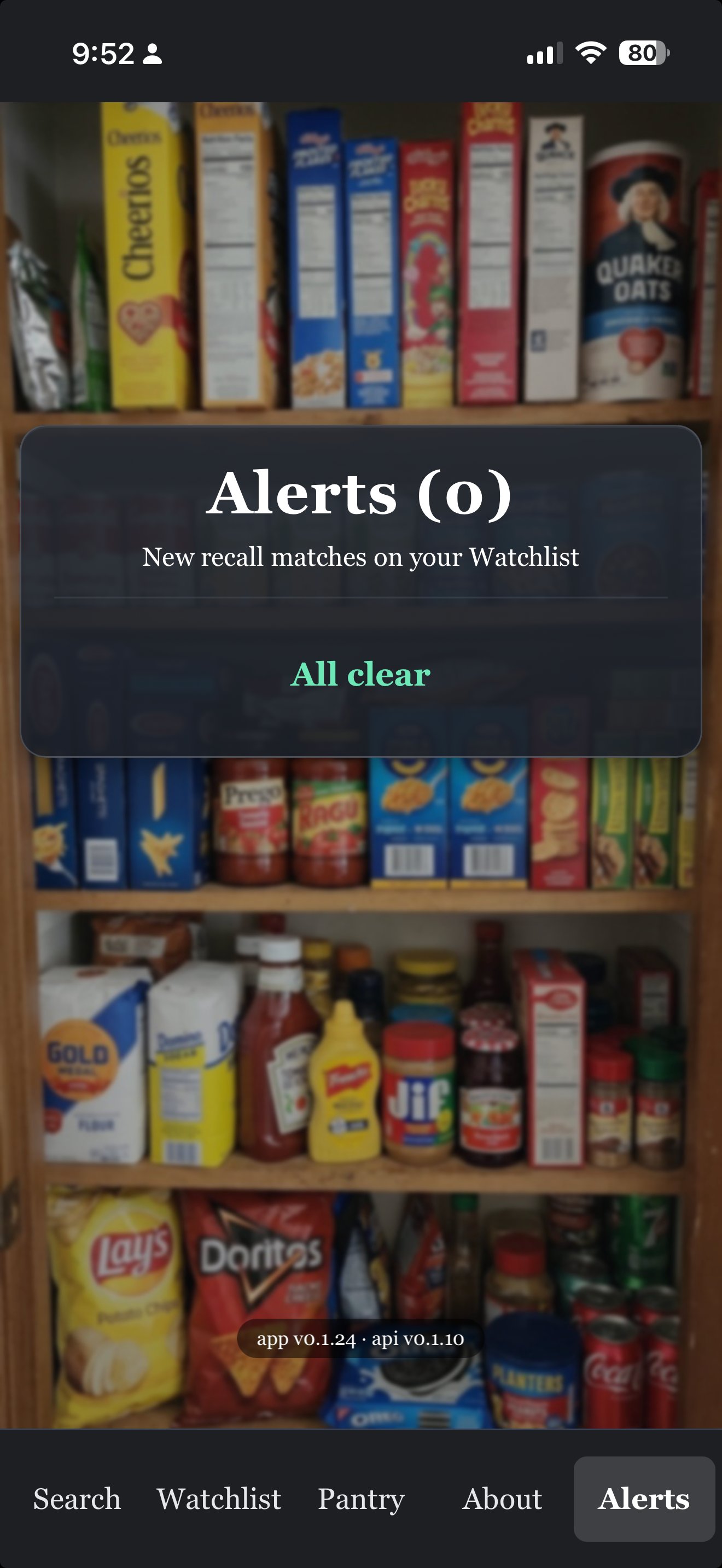
Meal Watch — Alerts All Clear
Alerts

All clear, or actionable.

If nothing on your watchlist has been recalled, Meal Watch says "All clear" — and that's exactly the answer you want. If something does match, you'll get a clear notice with the recall details and what to do next. No buzz unless it matters.

```
— 03

Put Meal Watch on your phone.

Or just try it now — open it in your browser:

Open Meal Watch

Meal Watch is a web app — it installs in one tap, with no app store needed. Once installed, it has its own icon on your home screen and runs full-screen, just like any other app.

iPhone & iPad Safari

  1. Open meal.watch in Safari (not Chrome — Apple only allows installs from Safari).
  2. Tap the Share button — the square with an arrow pointing up — at the bottom of the screen.
  3. Scroll down in the share menu and tap Add to Home Screen.
  4. Tap Add in the top-right corner. That's it.

The Meal Watch icon will appear on your home screen next to your other apps. Tap it any time to launch.

Android Chrome

  1. Open meal.watch in Chrome.
  2. Tap the three-dot menu in the top-right corner.
  3. Tap Install app — or Add to Home Screen, depending on your version of Chrome.
  4. Tap Install. That's it.

Some versions of Chrome show an automatic install banner at the bottom of the page — you can use that instead if you'd like.

Already on your phone? Just open it.

Open Meal Watch
— 04

A few honest questions.

Where does the data come from?
Meal Watch pulls from openFDA Food Enforcement — the official FDA database of every food, beverage, and dietary supplement recall going back to 2004. Same source used by grocery chains and food-safety professionals.
How often does it check?
Every twelve hours in the background, plus a fresh check any time you open the app. New recalls usually hit the FDA feed within hours of being announced.
What's the difference between watching a brand and watching a product?
Watching a product is narrow — only that exact item triggers an alert. Watching a brand or company is broad — any recall from that company triggers an alert. Brand-watching is a good fit for companies you buy from often. Product-watching is better for one-off items in your pantry.
Can I see recalls without watching anything?
Yes. Tap See Latest Recalls on the search screen to browse every Class I and II recall, newest first. You don't need an account or a watchlist — it's a public window into what's been pulled.
Does it cost anything?
No. Meal Watch is free. No ads. No paywalls. Just clear, timely answers.
Can I delete my watchlist or my account?
Yes — any time, from inside the app. We don't make it hard.
— 05

Other 3Brains apps. Same idea, different things to watch.

3Brains is a small platform of watch apps. Once you know one, you know them all — add what you care about, and we'll alert you when something changes.