Pivot Watch · A 3Brains app

Where are you
headed?

Job watching across every source you'd otherwise check separately. Federal openings from USAJobs, private listings from major aggregators, per-employer feeds from Greenhouse, and direct careers links to 122 top US employers across 21 sectors. Set your filters once — Pivot Watch tells you when something matches.

Find your future. Not just your next job.
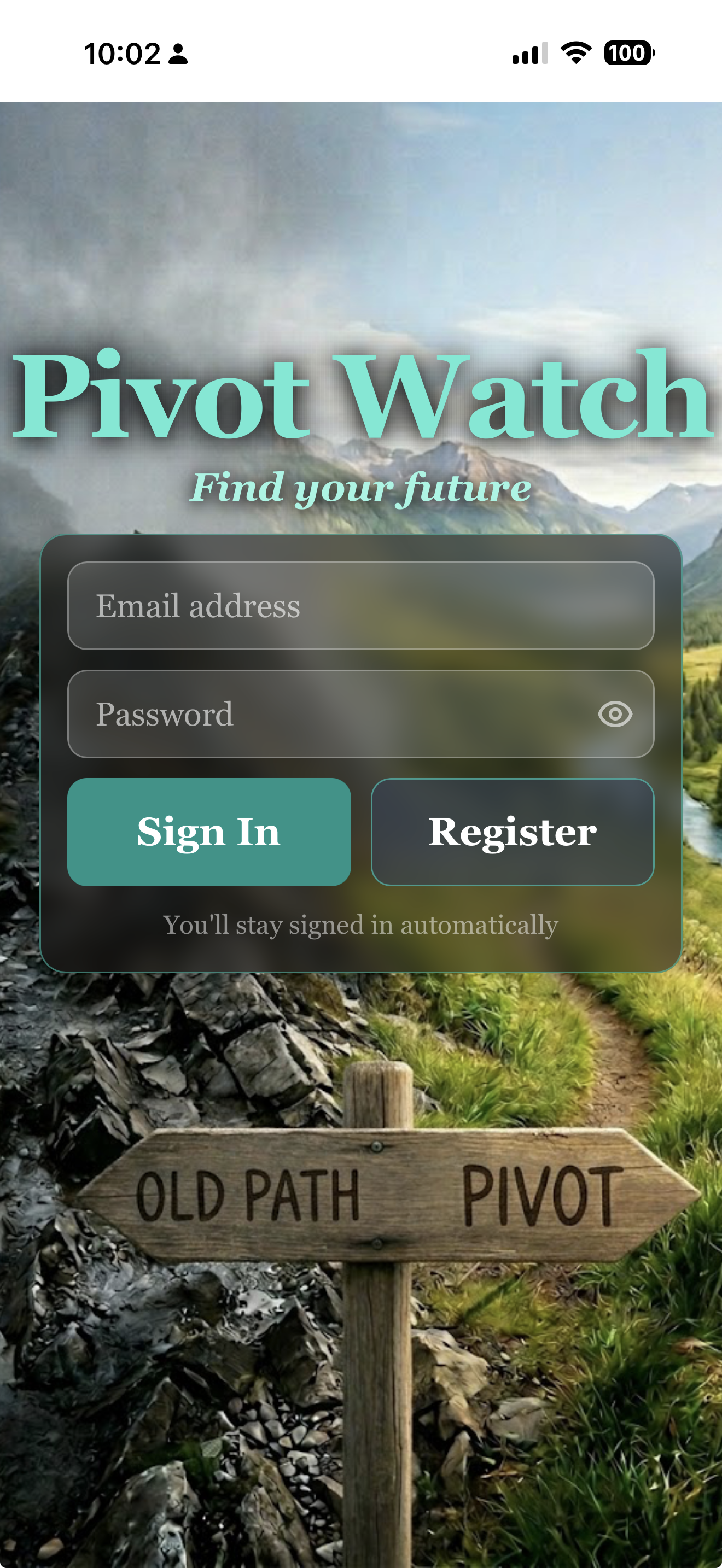
Pivot Watch — Sign in

— 01

How it works.

i.

Set your watch.

Pick a sector, a level, and where you'd like to work — near a place, in a state, or anywhere. Add a company if you have one in mind. Save it to your Watchlist.

ii.

We watch every source.

USAJobs, Adzuna, Greenhouse, and 122 top US employers — every twelve hours, looking for jobs that match your filters.

iii.

We alert you.

When matches show up, you hear about it. Tap to open the listing on the company's actual careers page. Apply when you're ready.

— 02

A quick tour.

Pivot Watch is built on public job feeds — federal listings, private aggregators, and per-employer ATS data. No paid scrapers. No proprietary deals. Just the jobs that are already out there, organized around the filters you actually use.

Pivot Watch — Build a search
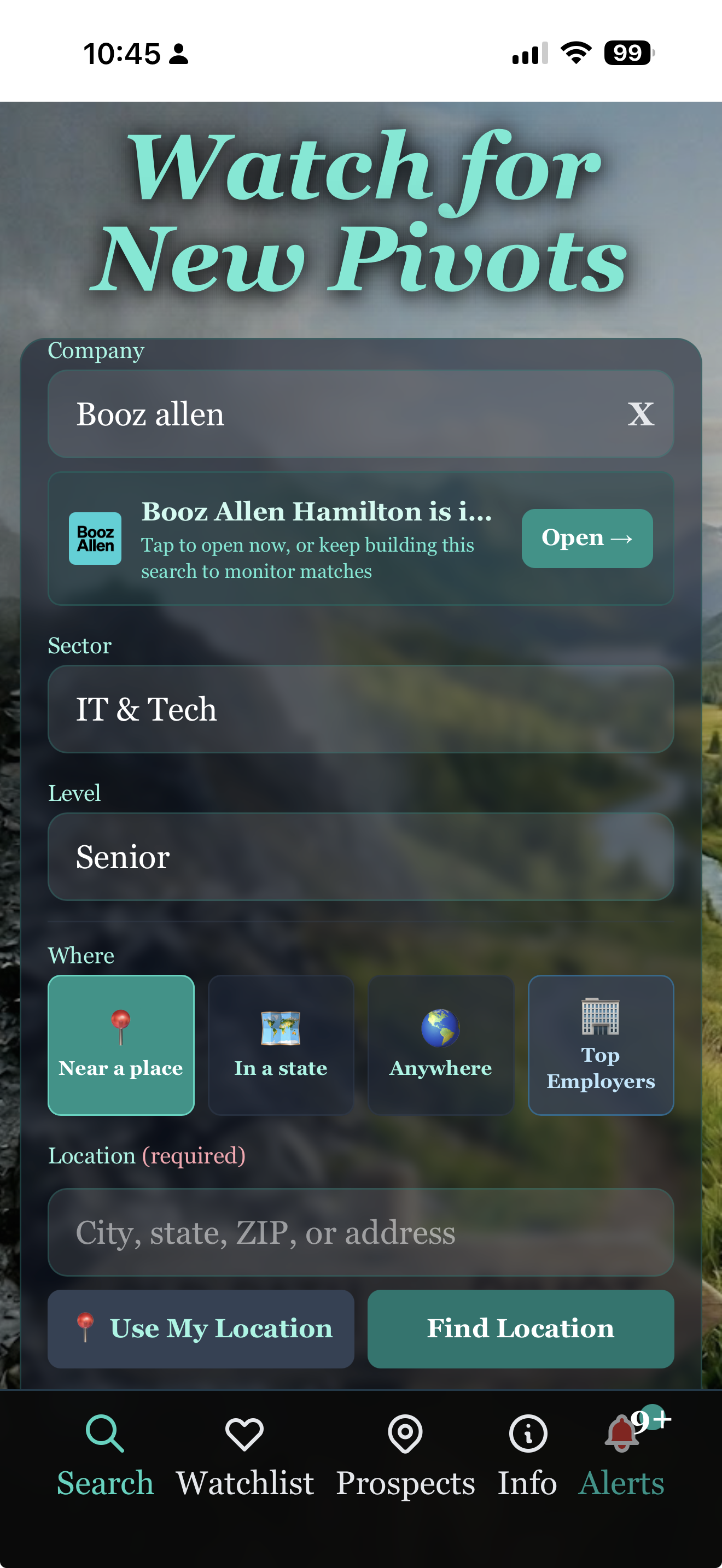
Build your watch

Sector, level, location — or anywhere.

Twenty-one sectors from Finance to Hospitality to IT. Four levels from entry to executive. Three where modes: near a place, in a state, or anywhere in the US. Mix and match for the search that actually fits the move you're considering.

Pivot Watch — Top Employers browse
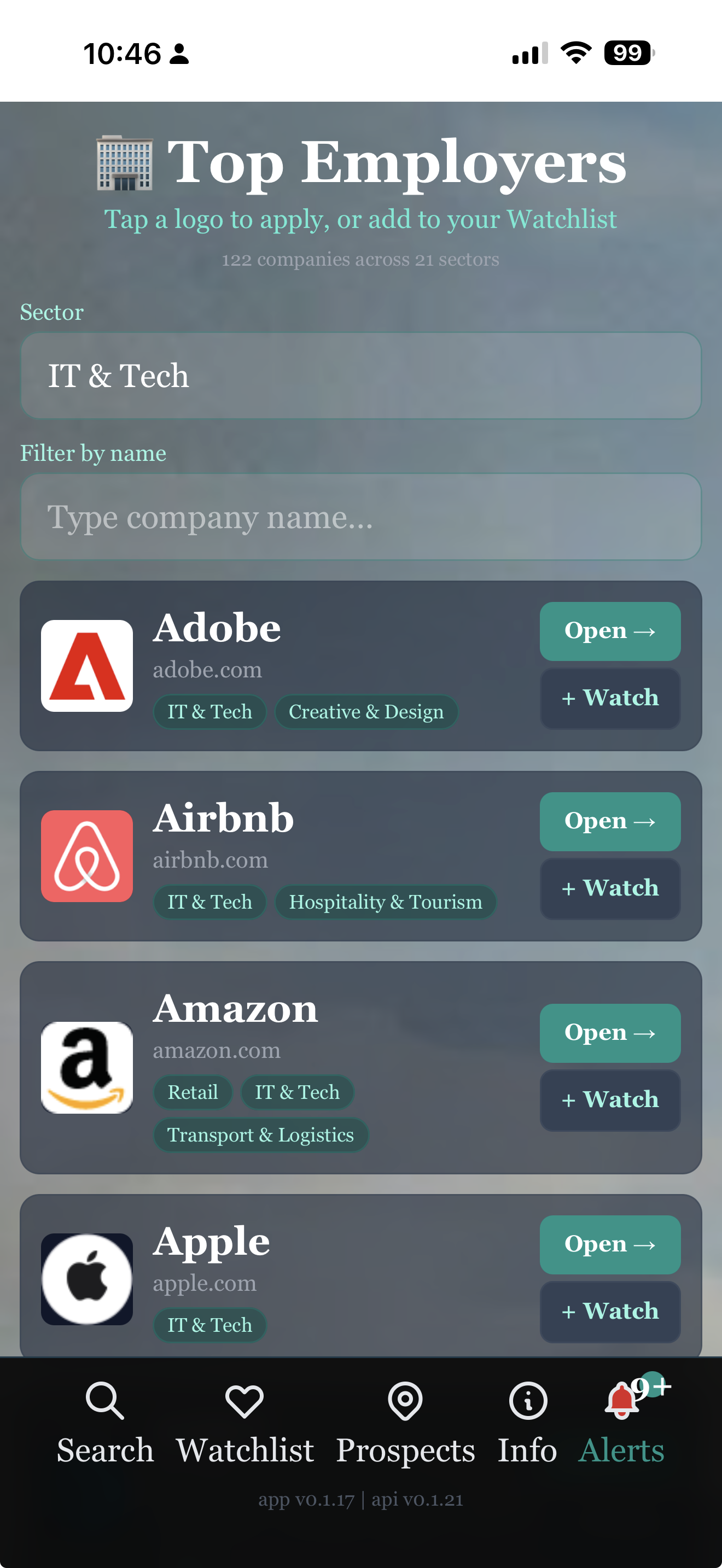
Top Employers

122 employers, direct links.

Walmart, McDonald's, JPMorgan, Microsoft, Hilton, Boeing, UnitedHealth — all hand-curated with logos and direct links to their careers pages. Filter by sector to see all the major players in Finance, IT, Healthcare, Defense, or anywhere else. Open the careers site in one tap.

Pivot Watch — Watchlist
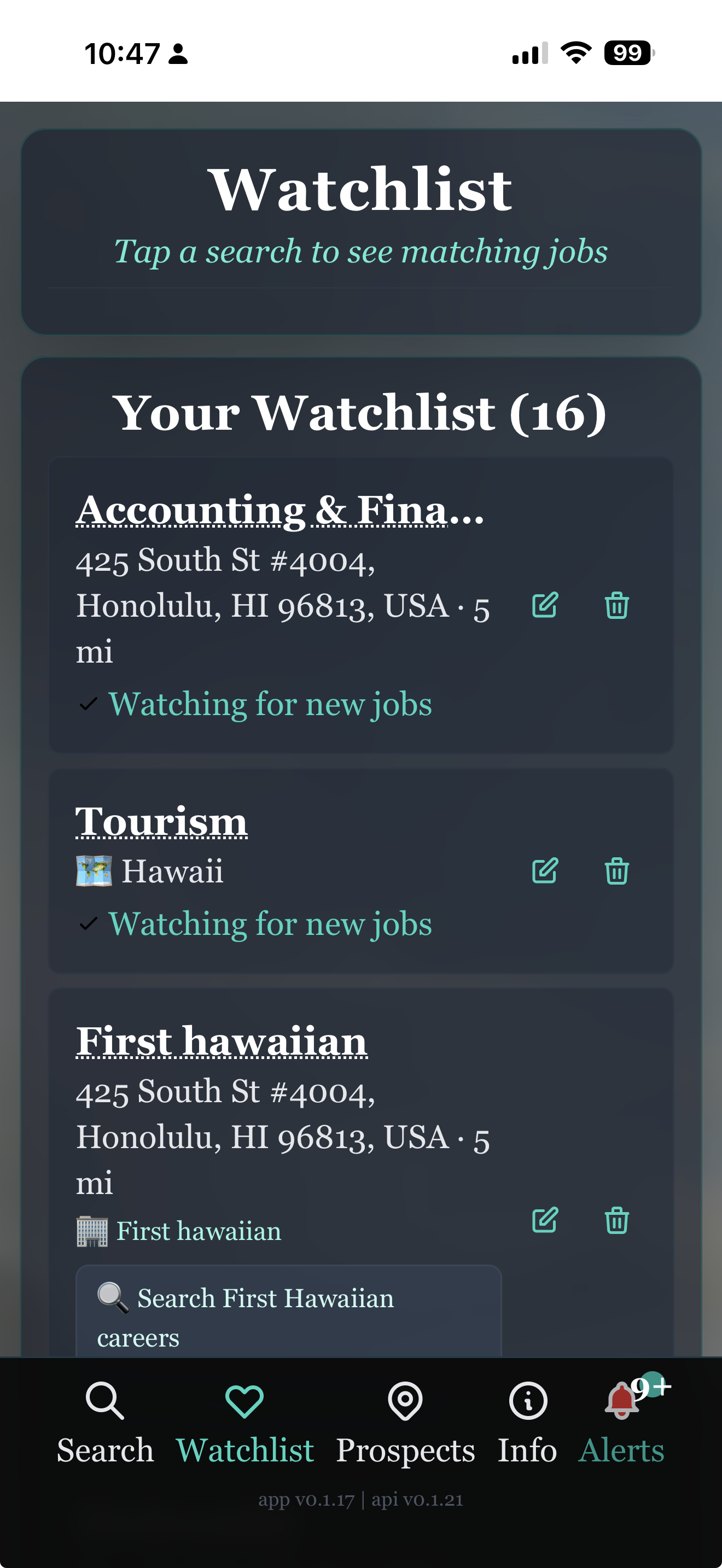
Your Watchlist

Every search, watched continuously.

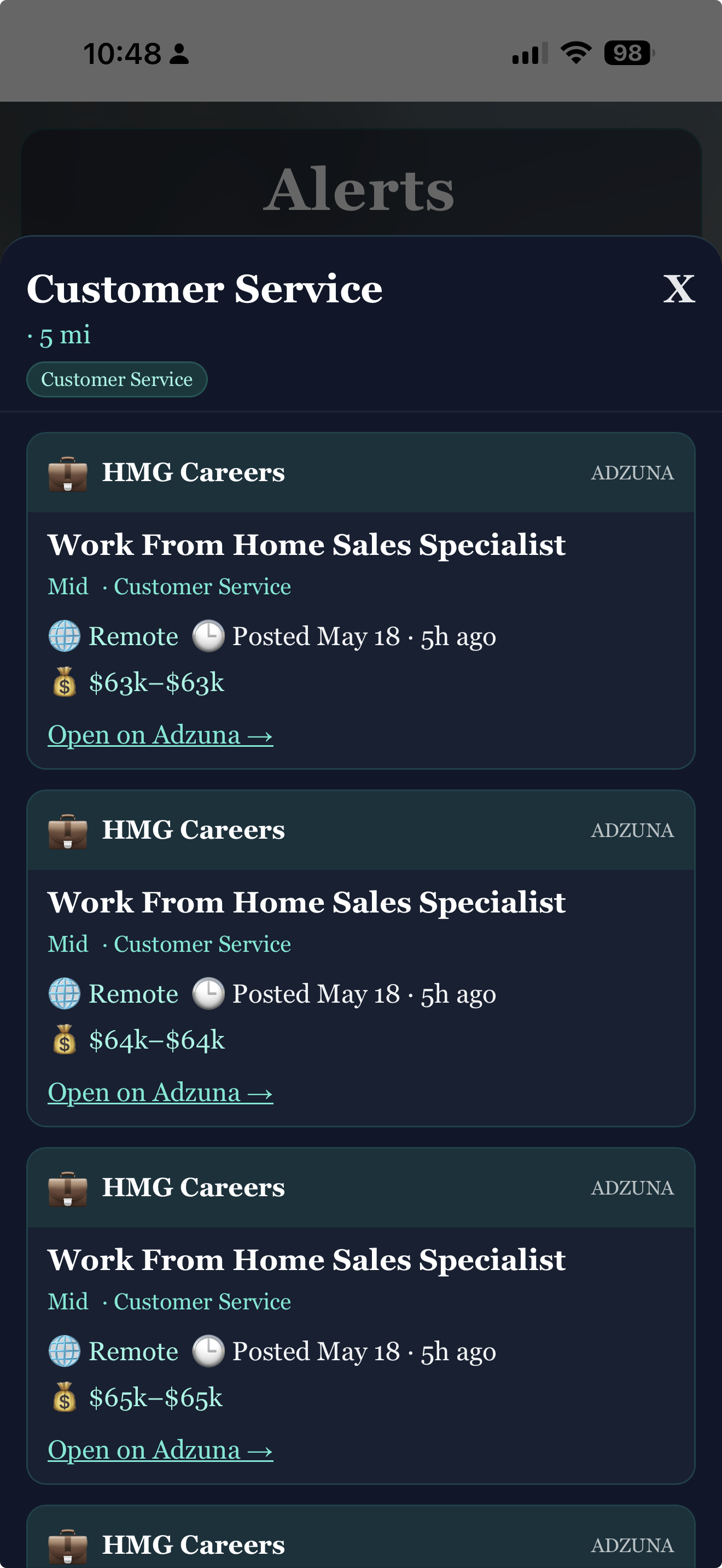
Each saved search sits on your Watchlist with a fresh count of matching jobs. Tap one to see a drawer of matching listings — title, company, sector, level, location, salary band, posted date — pulled live from the source. Tap a listing to open it directly on Adzuna, Greenhouse, or USAJobs.

Pivot Watch — Alerts
Alerts

New matches, delivered.

Twice a day we check every source for new jobs that match your filters. When they show up, we tell you — without you having to check. No spam. No newsletter. Just the jobs that fit what you're watching.

— 03

Put Pivot Watch on your phone.

Or just try it now — open it in your browser:

Open Pivot Watch

Pivot Watch is a web app — it installs in one tap, with no app store needed. Once installed, it has its own icon on your home screen and runs full-screen, just like any other app.

iPhone & iPad Safari

  1. Open pivot.watch in Safari (not Chrome — Apple only allows installs from Safari).
  2. Tap the Share button — the square with an arrow pointing up — at the bottom of the screen.
  3. Scroll down in the share menu and tap Add to Home Screen.
  4. Tap Add in the top-right corner. That's it.

The Pivot Watch icon will appear on your home screen next to your other apps. Tap it any time to launch.

Android Chrome

  1. Open pivot.watch in Chrome.
  2. Tap the three-dot menu in the top-right corner.
  3. Tap Install app — or Add to Home Screen, depending on your version of Chrome.
  4. Tap Install. That's it.

Some versions of Chrome show an automatic install banner at the bottom of the page — you can use that instead if you'd like.

Already on your phone? Just open it.

Open Pivot Watch
— 04

A few honest questions.

Which job sources does Pivot Watch cover?
Federal openings come from USAJobs (the government's official API). Private listings come from Adzuna, a major US job aggregator. Per-employer feeds come from Greenhouse (the ATS many companies use). And we keep a hand-curated directory of 122 top US employers across 21 sectors with direct links to their careers pages — for the companies that don't post to aggregators.
Why "pivot"?
Pivot Watch is built for people considering a real career change — not just a same-role-different-company move. Different sector, different level, different state, different mode of work. Three where modes (near, state, anywhere) let you cast as wide or narrow as the move requires. Browse Top Employers to see what's possible across industries.
Does it cost anything?
No. Pivot Watch is free. There are no ads and no subscriptions on the core experience. An application tracker is planned as a premium add-on for people running active job hunts, but the watching and alerting will always be free.
How often does it check for new jobs?
Every twelve hours, automatically, in the background. Every source we cover gets pulled, normalized, filtered against your saved searches, and if there's a match, you get an alert. You can also tap any saved search to see matching jobs on demand.
Does the "Open Careers" link send my location to the company?
Only if you've set a location in your saved search. From the Top Employers browse page, the link opens the company's careers homepage with no filters attached — so you can pivot to anywhere. From a saved search with filters, we route through a Google search of the company's careers site with your filters as keywords, so you land on relevant openings without giving up the option to look elsewhere.
Can I delete my account?
Yes — any time, from inside the app. There's an Account section that lets you remove individual searches or delete everything. We don't make it hard.
— 05

Other 3Brains apps. Same idea, different things to watch.

3Brains is a small platform of watch apps. Once you know one, you know them all — add what you care about, and we'll alert you when something changes.